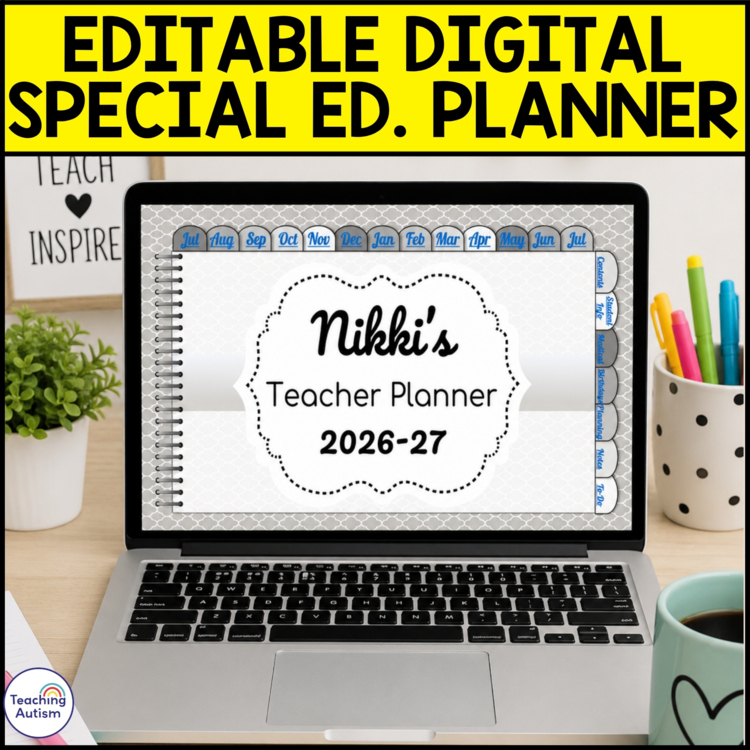
Editable Digital Teacher Planner 2026-2027 | Google Slides & PowerPoint Planner
Stay organized all year long with this editable SPED Digital Teacher Planner for the 2026-2027 school year!
Designed for busy teachers who want everything in one place, this digital planner helps you streamline lesson planning, organize important information, collaborate with team members, and access your plans from anywhere.
Whether you’re teaching in the classroom, planning from home, collaborating with paraprofessionals, or simply looking to ditch the paper clutter, this editable planner will help you stay organized and reduce stress throughout the school year.
Perfect For:
- Classroom teachers
- Special education teachers
- Resource teachers
- Interventionists
- Speech therapists
- Homeschool educators
- Team leaders
- Teacher teams who collaborate and share planning responsibilities
WHAT’S INCLUDED?
- Editable PowerPoint Digital Teacher Planner
- Editable Google Slides Digital Teacher Planner
- “Read Me” PDF with setup instructions and access information
- Hyperlinked navigation tabs for quick access to planner sections
- July 2026 through July 2027 monthly planning pages
PAGES INCLUDED
- July 2026-July 2027 monthly calendars
- Student Information
- Student Medical Information
- Student Birthdays
- Daily Lesson Plans
- Weekly Lesson Plans
- Long-Range Planning
- Topic Web Planning
- Notes Pages
- To-Do Lists
- Student Password Tracker
- Website Password Tracker
- Communication Logs
- Transportation Information
The planner is fully editable, allowing you to duplicate, delete, and customize pages to fit your unique planning style and classroom needs.
HOW TO USE THE POWERPOINT VERSION
- Open the PowerPoint file.
- Edit text, images, and content to fit your needs.
- Present in Slide Show mode to use the hyperlinks for navigation.
HOW TO USE THE GOOGLE SLIDES VERSION
- Open the PDF titled “CLICK ME I AM YOUR LINK.”
- Click the provided link.
- Make a copy of the planner to your Google Drive.
- Edit text, images, videos, and pages as needed.
- Click the hyperlinked tabs to quickly jump between sections.
One of my favorite features of the Google Slides version is the ability to share access with team members. Everyone can view updates in real time, making collaboration easier than ever.
WHY TEACHERS LOVE DIGITAL PLANNERS
- Access your planner from school, home, meetings, or on the go.
- Never worry about forgetting your planner at work.
- Keep all of your lesson plans and important information in one place.
- Reduce paper clutter and printing costs.
- Collaborate with co-teachers, paraprofessionals, and support staff.
- Easily update plans without rewriting entire pages.
- Stay organized throughout the entire school year.
As someone who has always loved paper planners, switching to a digital planner completely changed the way I organize my classroom. During distance learning, I quickly realized how valuable it was to have my plans accessible from anywhere.
Now, I can coordinate schedules, assign tasks, track important information, and work seamlessly with my team without carrying multiple notebooks or binders.
If you’re looking for an easy way to simplify planning, stay organized, and save time during the 2026-2027 school year, this editable digital teacher planner is the perfect solution.
Download today and start planning with confidence!
Click below to find:
Once you have purchased this resource don’t forget to come back and leave feedback to help you gain some TpT credits! If you want to keep up to date with my sales, new resources, freebies and so much more click here.
I love to see my resources in action in your classrooms, if you use one and would like to send me an image of it you can send to me @teachingautism on Instagram! Follow me here.
What are TpT Credits?
You can gain TpT credits by going back and leaving feedback on any purchases that you have made. The credits build up and then you can use them off future purchases – from any seller on TpT!