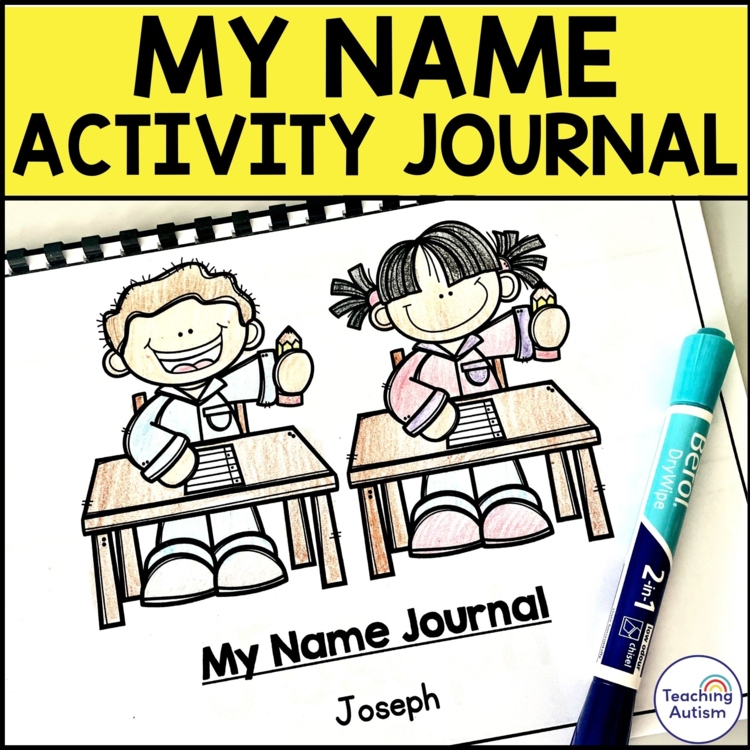
Editable Name Activities | I Can Write My Name Journal
Are you looking for a hands-on name journal for your students to work on their name skills? If so, this name journal activity pack is perfect to use for practicing students names.
How to Use
- Download the product after purchasing.
- Open with Adobe Acrobat DC.
- On the front cover, double click the editable text screen and type in your student’s name. This will automatically put your students name on every page of this document for every activity needed!
- Print and bind together as a book.
- Have your students complete each of the activities.
What’s Included?
In this journal, students will work on the following skills with their name;
(Two PDFs for spelling differences i.e color/colour.)
- My name is..
Cut and paste the name from the bottom of the page onto the top. - The letters in my name are..
Students need to look at their name and then highlight the letters in their name from the alphabet underneath. - I can trace my name..
Students need to trace over their name keeping within the writing lines. - I can trace my name..
Students need to trace over their name. - I can form my name..
Students need to follow the direction of each letter to form their name correctly. - I can color in my name..
Students color in or decorate their name. - I can copy my name..
Students look at their name and then copy it by writing it in the empty box underneath. - I can write my name in the boxes..
Students need to write the letters of their name in each of the spelling boxes getting them used to letter positions and sizes. - I can turn the letters of my name on..
Students can color the light bulbs with the letters of their name on to ‘turn their name on.’ - I can cover my name with stickers..
Students can use stickers to place over the bubbly font of their name to use stickers to form their name. - I can turn my name into fireworks..
Students overwrite their name in a fun fireworks font. - I can find my name in the train..
Students names will be placed into a train! Decorate the train and write over the letters to form their train name. - I can find and circle my name..
Students need to identify their name that is in with a bunch of different names, then circle it. - I can type my name..
Students use the ‘computer keyboard’ on the page to type out the letters to spell their name – they can then write this in the box at the top of the page.
Please note that you will need to open this PDF with Adobe Acrobat. This is so that all the formatting options were correctly i.e. correct fonts, spacing, sizes, formatting etc.
You only need to type student’s name into the box on the cover page and it will automatically fill in all of the pages in the document.
Click below to find:
====================================================================================================
Once you have purchased this resource don’t forget to come back and leave feedback to help you gain some TpT credits! If you want to keep up to date with my sales, new resources, freebies and so much more click the green ★ next to my store name!
I love to see my resources in action in your classrooms, if you use one and would like to send me an image of it you can send to me @teachingautism on Instagram! Follow me here.
What are TpT Credits?
You can gain TpT credits by going back and leaving feedback on any purchases that you have made. The credits build up and then you can use them off future purchases – from any seller on TpT!
===================================================================================================